
If you would like synced emails, quick text, or transactional emails to be visible to all users who can view a given contact, go to Settings > Communications > Email Visibility and toggle on one or more of these options:
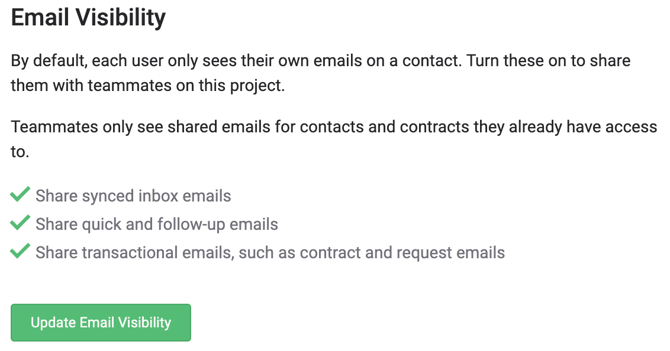
To save your changes, click Update Email Visibility.
Who can see emails?
| Scenario | User Role Permissions | Visibility |
|
Share synced inbox emails in on
|
Administrator, Conveyancer, Manager, Sales Rep | Synced email content on all contacts visible |
|
|
Sales Rep - Assigned, Sales Rep - Assigned Inventory, Sales Rep - Restricted Inventory |
Synced email content on visible only on contacts assigned to them
|
|
Show quick and follow up emails is turned on
|
Administrator, Conveyancer, Manager, Sales Rep |
Quick compose and follow up schedule email content on all contacts visible
|
|
|
Sales Rep - Assigned, Sales Rep - Assigned Inventory, Sales Rep - Restricted Inventory |
Quick compose and follow up schedule email content visible only on contacts assigned to them
|
|
Show quick and follow up emails is turned off
|
Administrator, Conveyancer, Manager, Sales Rep |
Quick compose and follow up schedule email content visible to user who sent the email
|
|
|
Sales Rep - Assigned, Sales Rep - Assigned Inventory, Sales Rep - Restricted Inventory |
Quick emails content visible to user who sent the email
|
|
Show transactional emails, such as contract and request emails is turned on |
Administrator, Conveyancer, Manager, Sales Rep |
Transactional emails for all contracts visible
|
|
|
Sales Rep - Assigned, Sales Rep - Assigned Inventory, Sales Rep - Restricted Inventory |
Transactional emails only for contracts assigned to them visible, if contact is also assigned to them
|
|
Show transactional emails, such as contract and request emails is turned off |
Administrator, Conveyancer, Manager, Sales Rep |
Transactional emails are visible to the user who sent the email
|
|
|
Sales Rep - Assigned, Sales Rep - Assigned Inventory, Sales Rep - Restricted Inventory |
Transactional emails are visible to the user who sent the email
|